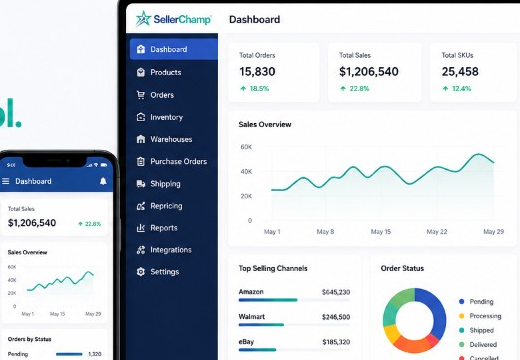
Try SellerChamp for Yourself!
Schedule a demo today and discover how our Bulk Lister can help you list more products, increase sales, and grow your e-commerce business faster than ever.

Why Many Sellers Are Searching for Inventory Source Alternatives
- Delayed inventory updates: Too often, updates happen hourly or manually, not in real time.
- Risk of overselling: When stock is not synced fast enough, you may sell items you don’t have, hurting your Amazon metrics.
- Limited flexibility: Older platforms often rely on FTP feeds or spreadsheets and struggle with newer APIs.
What to Look for in a True Alternative
| Feature | Why it Matters |
|---|---|
| Real-time or near-real-time sync | Oversells and stockouts kill profits. Fast syncs prevent that |
| Amazon SP-API support | Amazon’s latest API ensures faster, more secure data. Legacy systems may struggle |
| Multi-channel coverage | If you’re selling on Amazon + Shopify + eBay + Walmart, you need unified stock. |
| Flexible data feeds | API, FTP, bulk import. Choose what fits your operations |
| Scalability | Whether you manage 100 SKUs or 100,000+, the system should grow with you |
| POS/backend compatibility | If you have a physical store or retail system, sync across online and offline |
Top Alternatives to Inventory Source, And Why SellerChamp Stands Out
| Platform | Key Features | Limitations | Best For | The SellerChamp Advantage |
|---|---|---|---|---|
| Inventory source | • Automated product uploads • Dropship supplier integrations • Basic inventory sync | • Slow FTP-based syncing • Delayed data updates • Limited API support | Small dropship sellers | SellerChamp uses real-time SP-API sync instead of FTP, ensuring instant stock and price updates |
| Ecomdash | • Multi-channel inventory management • Listing and order automation • Integrates with Shopify, eBay, Amazon | • Complex setup • Slower updates with large catalogs • No AI-based optimization | Sellers with a few channels | SellerChamp’s AI-driven automation simplifies setup and scaling for growing sellers. |
| Sellbrite | • Easy listing management • Inventory syncing across multiple stores • User-friendly interface | • Limited reporting tools • Not ideal for high-volume sellers | Small-to-mid-size sellers | SellerChamp provides deeper analytics and bulk management tools for power sellers. |
| List Perfectly | • Fast listing across marketplaces • Supports eBay, Poshmark, Etsy | • Manual operations • Lacks true automation • No bulk inventory sync | Resellers and vintage sellers | SellerChamp automates bulk imports, syncs, and pricing, reducing manual work. |
| SellerChamp | • Amazon SP-API sync • Multi-channel inventory control • AI-based pricing & bulk uploads • Real-time updates across Shopify, eBay, Walmart | • Requires brief onboarding for optimal setup | All sellers, from SMBs to enterprises | Combines speed, scalability, and automation, outperforming legacy systems like Inventory Source. |
How to Choose and Migrate Without Disruption
Audit your current setup
- How many SKUs? Which channels? Amazon FBA or FBM?
- What data feeds do you use (API, FTP, spreadsheets)?
- What are your pain points (delays, oversells, manual updates)?
- Focus on SP-API support, real-time sync, and channel coverage
- Try SellerChamp first — see if stock sync and feeds work as promised
- Export your current SKU and inventory data
- Set up parallel sync (old + new) during a low-volume period
- Monitor for discrepancies before turning off the legacy system
- Watch for oversells, delayed updates, and incorrect stock
- Use analytics to verify the new sync tool keeps up
- If you have a physical POS or ERP, make sure it ties into your new sync tool
- For businesses with retail + online, keeping everything aligned is crucial
Why Sellers Are Choosing SellerChamp
- “Since switching to SellerChamp, our listings stay in sync across all platforms without delays. The onboarding was quick, and the accuracy gives us peace of mind.” — Verified Seller
- Fast ramp-up, accurate data, and a system built for tomorrow’s marketplace changes
FAQs
Q: What makes SellerChamp a better alternative to Inventory Source?
A: SellerChamp is built on Amazon’s latest SP-API, ensuring real-time inventory sync across Amazon, Shopify, Walmart, and eBay. It eliminates overselling, supports API + FTP + bulk import feeds, and helps sellers go live in days instead of weeks.
Q: Can I use SellerChamp to sync my Amazon inventory with Shopify or eBay?
A: Absolutely. SellerChamp connects your Amazon listings to multiple marketplaces like Shopify, eBay, and Walmart, ensuring your stock levels stay accurate everywhere in real time.
Q: How do I migrate from Inventory Source to SellerChamp without losing data?
A: The migration process is straightforward. You can export your SKU and stock data, import it into SellerChamp using the bulk import tool, and run a parallel sync for a few days before switching completely. SellerChamp’s onboarding team can assist you with this transition.
Q: What other tools does SellerChamp integrate with besides Amazon?
A: SellerChamp integrates with top marketplaces (Walmart, eBay, Shopify), accounting systems, and POS or ERP tools to give you a unified, real-time view of your business.
Q: How quickly can I start using SellerChamp?
A: Most sellers are fully live within days. SellerChamp’s onboarding process is fast and intuitive, so you can begin syncing inventory almost immediately after setup.
Q: What are the risks of staying on a legacy sync tool?
A: Delays in stock updates, overselling, mismatched quantities, Amazon metric penalties, lost sales or cancellations, and scale limitations.
Try SellerChamp Demo
Ready for a better sync setup?
Request a SellerChamp demo today and see how discounted online shipping labels can save you time and money instantly.