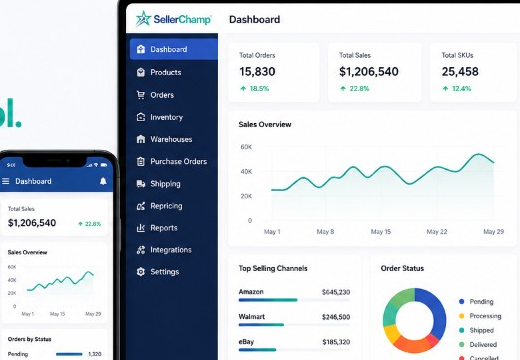
Try SellerChamp for Yourself!
Schedule a demo today and discover how our Bulk Lister can help you list more products, increase sales, and grow your e-commerce business faster than ever.

Why Choose the Overstock Marketplace?
Getting Started: Becoming an Overstock Seller
1. Apply and Get Approved
2. Understand Fees
- Listing fees: $0.10–$3.50 per item
- Final value fee: ~3% for items under $25
- Optional paid features: bold or featured listings
- Subscription plan: ~$6.95/month for high-volume sellers
3. Use SellerChamp for Automation
How to Make Listings That Sell and Get Noticed
- Write Clear Titles and Descriptions: Include brand, product type, color, size, and key features. Simple, detailed descriptions help buyers understand your product and reduce confusion.
- Add High-Quality Images: Upload 4–6 photos. Show the product from different angles, include close-ups, and add lifestyle shots so buyers can imagine using it.
- Organize Variations: If your product has different sizes, colors, or styles, keep them organized. Tools like SellerChamp make managing multiple options easy.
- Set Smart Prices: Look at similar items and price your product fairly. Use dynamic or MSRP-based pricing for overstock or extra stock.
- Highlight Key Listings: Use bold or featured listing options to make your most important products stand out.
- Offer Bundles or Seasonal Deals: Combine related items or create seasonal packages to make listings more appealing and encourage buyers to purchase more.
- Promote Your Listings: Share your products on social media, email, or your website to reach more potential buyers.
- Track Performance: Keep an eye on views, orders, and sales. SellerChamp helps you track results and adjust listings to improve performance.
Inventory and Overstock Management
| Channel / Store | Current Stock | Safety Buffer | Sync Frequency | Notes |
|---|---|---|---|---|
| Overstock Marketplace | 120 units | 5 units | Real-time | Managed with SellerChamp |
| Shopify Store | 50 units | 2 units | Daily | Auto-sync via SellerChamp |
| eBay Store | 30 units | 1 unit | Daily | Monitor for oversells |
- Clear Overstock or Extra Stock: List overstock items or bundle them to increase sales.
- Automation and Alerts: SellerChamp sends alerts when stock is low and updates all channels automatically.
- Consistency: Keep SKUs, categories, and product info the same across platforms to avoid mistakes.
Tips for Apparel Sellers and Small Businesses
- Provide Clear Sizes and Details: Include accurate size charts, fabric information, and care instructions. This helps buyers choose the right product and reduces returns.
- Use High-Quality Photos: Add lifestyle images and flat-lay shots so buyers can see the product clearly from different angles.
- Start Small: Use Overstock’s Main Street Revolution or similar options to test new products without large upfront risk.
- Bundle Items: Group related products together to move extra stock faster and make deals more appealing.
- Follow Seasonal Trends: Offer products in line with seasonal demand, like summer clothes or holiday bundles, to attract more buyers.
FAQs
Q: Do I need a US warehouse to sell on Overstock?
A: No, but US stock speeds up shipping and reduces costs, improving buyer satisfaction and increasing your chances of repeat sales.
Q: Can I dropship on Overstock Marketplace?
A: Yes, dropshipping is allowed. Ensure fast shipping, accurate orders, and tracking to maintain high ratings and avoid penalties.
Q: How can I avoid overselling on multiple channels?
A: Use SellerChamp to sync inventory in real-time and set safety stock for each item across Overstock, Shopify, eBay, and Amazon.
Q: Which payment methods are supported on Overstock?
A: Overstock accepts credit cards, gift cards, and some cryptocurrencies, allowing smooth and flexible payment options for buyers.
Q: Can I edit listings after publishing?
A: Yes, you can update one or multiple listings. SellerChamp allows bulk edits to keep product info, prices, and stock accurate.
Q: Does Overstock provide analytics for sellers?
A: Yes, Overstock provides data on views, sales, and conversions. SellerChamp helps track performance across all channels efficiently.
Try SellerChamp Demo
Make selling on Overstock easy and efficient.
Try a SellerChamp demo to manage stock, automate orders, and improve your listings. See the difference it can make for your business.