How to optimize for SERP features is one of the most important skills an ecommerce seller must know right now. Why? Because Google isn’t just showing links anymore.
Shoppers see eye-catching carousels, star ratings, “People Also Ask” boxes, and quick answers before they ever scroll. That means if your products don’t show up there, your competitors are scooping up the clicks and the customers.
The truth is, winning these features is not just for big brands with big budgets. With the right strategy, you can grab the spotlight and make your store the one buyers choose first.
Try SellerChamp for Yourself!
Schedule a demo today and discover how our Bulk Lister can help you list more products, increase sales, and grow your e-commerce business faster than ever.

What Are SERP Features and Why They Matter
Search Engine Results Page (SERP) features are the extra elements Google displays beyond blue links. For ecommerce sellers, these include:
- Shopping and product carousels
- Featured snippets
- People Also Ask boxes
- Review stars
- Image and video packs
- Knowledge panels
- Local packs
- Sitelinks
Did You Know? According to Nimbleway, the number one organic result earns 28 percent of clicks, while 99.7 percent of users never move past page one.
If SERP features dominate the page, not optimizing for them means losing traffic to competitors.
Step 1: Check Which Features Already Appear for Your Keywords
Start by auditing where your store stands. Tools like SEMrush, Ahrefs, and Conductor allow you to filter by SERP features. This shows whether your target keywords trigger shopping carousels, snippets, or PAA boxes. You can also track which features competitors dominate.
This step helps you prioritize. If your products appear in searches with shopping carousels but your feed is incomplete, fixing it can deliver faster wins than chasing features you have no presence in yet.
Step 2: Use Schema Markup to Unlock Rich Results
Schema markup is how you communicate with Google in a structured way. It tells search engines what your products, reviews, and FAQs mean, not just what they say.
For ecommerce sites, the most effective schema types include:
- Product schema for details like price, brand, and availability
- Review schema for star ratings and testimonials
- FAQ schema for buyer questions
- Breadcrumb schema for navigation clarity
Read More: What are Google Shopping Feed Requirements?
Step 3: Target Featured Snippets and People Also Ask
Featured snippets and People Also Ask boxes are gold for ecommerce. They push your content above organic results and establish your authority.
To earn them:
- Format content with H2 and H3 headings for each question
- Provide short, direct answers in under 40 words
- Use bullet points and tables where possible
- Improve clarity and formatting compared to the current snippet
Did You Know? Product reviews are one of the most stable and influential features, visible in over 80 percent of ecommerce SERPs.
Step 4: Win Shopping Carousels, Images, and Video Packs
Shopping features are where ecommerce sellers can beat even big marketplaces. To appear, your Google Merchant Center feed must be complete and correct.
Key actions include:
- Upload high-quality product images
- Keep stock availability current
- Ensure pricing and shipping details are accurate
- Write keyword-rich product titles and descriptions
- Collect and display reviews
Fun Fact: Visual and shopping features continue to rise, making high-quality feeds and images more important than ever.
Step 5: Build a Site Structure That Earns Sitelinks and Brand Panels
Google automatically generates sitelinks from your site structure. Clear navigation, internal linking, and breadcrumb trails increase your chances of earning them.
For brand knowledge panels, keep your business information consistent across your website, Google Business Profile, and third-party directories. Venntov stresses that consistency builds trust signals that can influence Google’s decision to feature your brand.
Step 6: Keep Up With SERP Changes and Shifts
SERP features evolve. According to Accuranker, shopping features grew from 12 percent of searches in 2021 to 30 percent in 2023, while FAQ features fell from 55 percent to only 3 percent. Reviews remain stable, appearing in 87 percent of e-commerce SERPs.
The lesson is simple. Do not rely on a single feature. Diversify across product carousels, snippets, reviews, and visuals. Revisit your schema and content monthly, and adapt quickly when features shift.
Try SellerChamp Demo
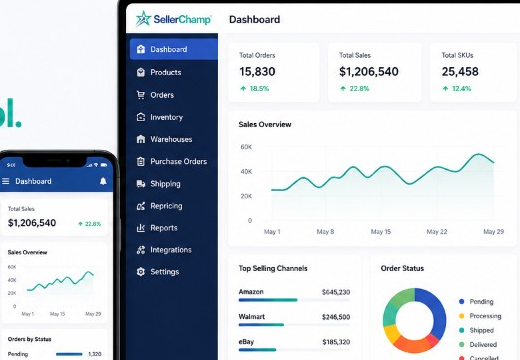
Learning how to optimize for SERP features is powerful, but doing it manually is a grind. SellerChamp does the heavy lifting so your products shine everywhere.
Tired of manual work?
Let ot handle your listings, inventory, and orders. Try the SellerChamp demo and see how easy it is.